
Is It Safe to Upload Documents to AI?
You have a long report and need the main points before a meeting. Uploading it would take two seconds—but the file contains names, account details, and internal notes.
My default rule: upload a document only when it is already public or you can make a clean copy containing just what the AI needs. Do not put confidential, regulated, or highly personal information into a personal AI account.
What to do before you upload
1. Put the file in one of three groups
| Your file | Best next step |
|---|---|
| Public manual, published paper, brochure, or your own non-sensitive notes | Usually fine to upload if you have permission to use it. |
| Resume, meeting note, or report with removable personal details | Make a separate clean copy first. |
| Client file, medical or HR record, ID, bank statement, signed contract, password, recovery code, or API key | Do not upload it to a personal AI account. Use an approved work system or ask the responsible person. |
2. Send less, not more
If the AI only needs three paragraphs, do not upload all 40 pages. Remove names, addresses, phone numbers, IDs, signatures, account numbers, exact internal prices, private comments, and anything unrelated to the task.
3. Check the account you are using
A personal account and a company or school workspace may follow different rules. If the document belongs to your employer, school, client, or another person, check their policy before uploading it.
Small but important: Turning off model training does not delete a file, remove it from chat history, or give you permission to share confidential material. It only changes one part of how the service uses your data.
If the file cannot be cleaned safely—or you are not allowed to share it—do not upload it.
A simple clean-copy example
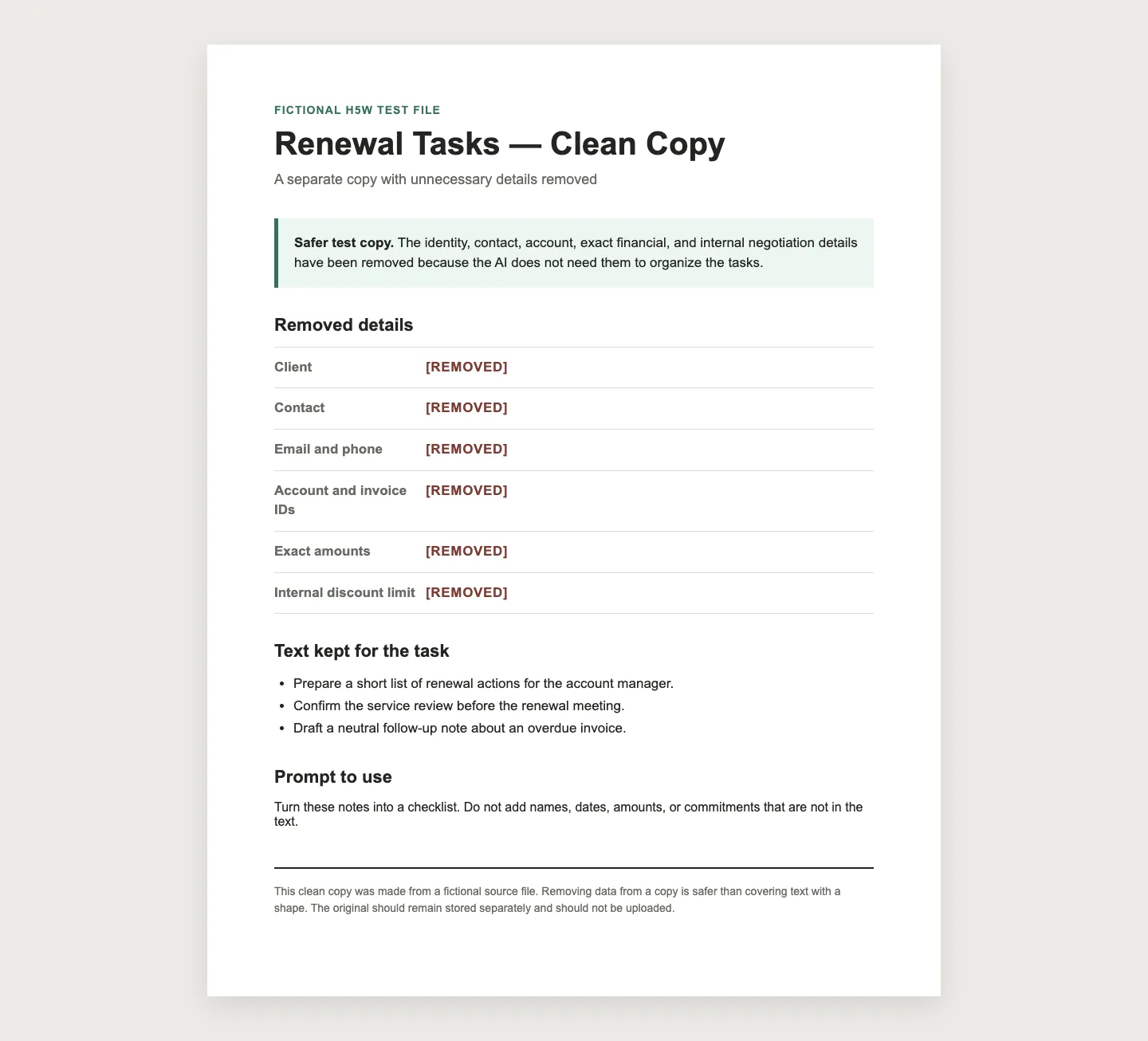
For this guide, I made a fictional client-renewal note. Every name, date, ID, and amount is invented, but the problem is realistic.
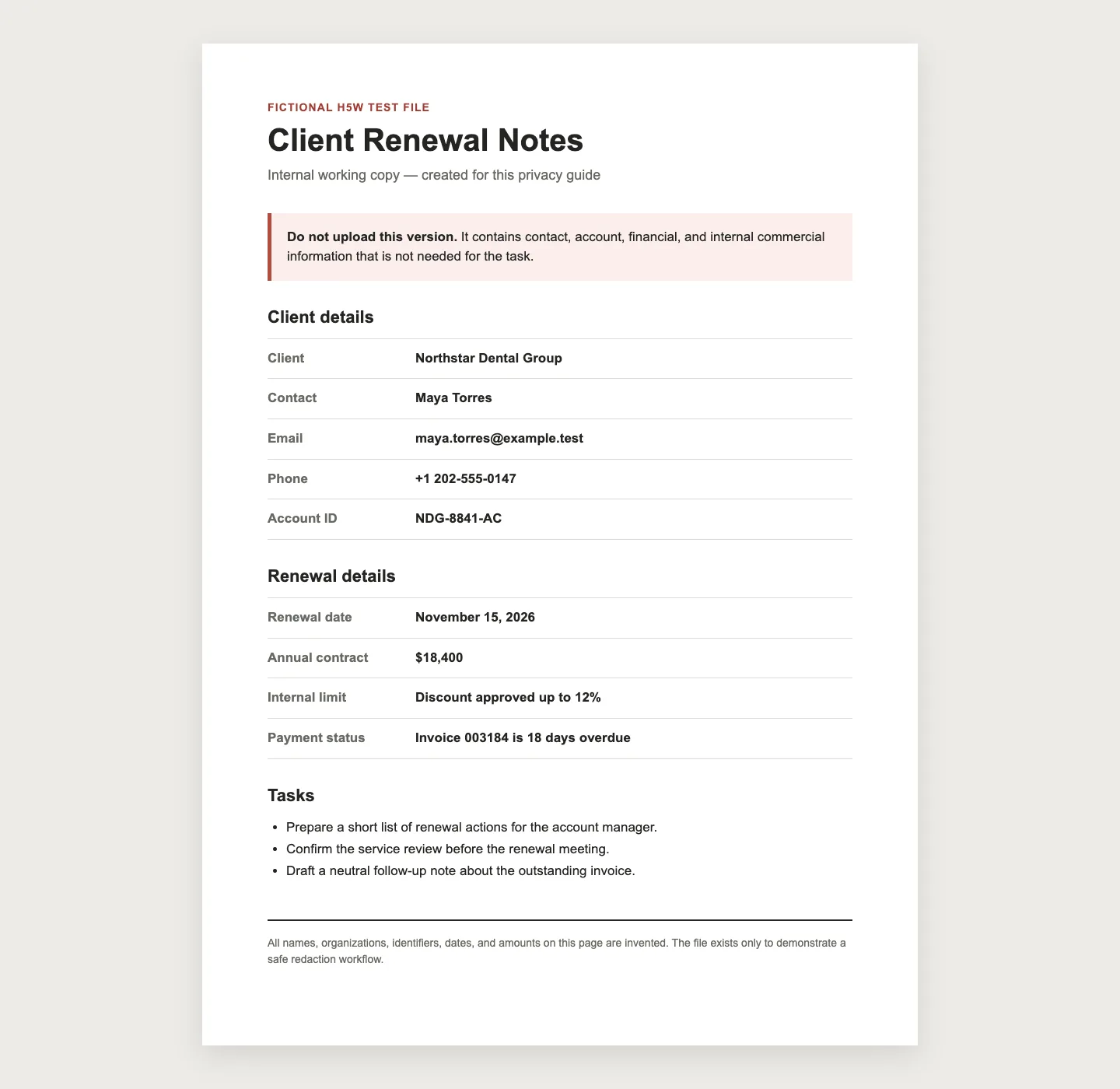
Instead of drawing black boxes over the page, I made a separate copy and removed the text itself.
Small details that are easy to miss
- Do not cover words with a black shape. In an editable file, the hidden text may still be selectable or searchable. Remove it properly from a copy.
- Check comments and file properties. Word and PowerPoint files can contain tracked changes, author names, notes, and hidden content. Microsoft recommends using Document Inspector on a copy.
- A scanned PDF may still contain text. OCR can add a searchable layer behind the page image. Check what you can see, select, copy, and search.
- Use proper PDF redaction. A real redaction tool removes the selected content; a drawn rectangle may only hide it visually.
- Check the answer against the original. For reports, contracts, papers, or financial files, verify every important number, date, name, obligation, and conclusion.
What the privacy settings actually change
These details were checked against official sources on October 2, 2026.
- ChatGPT: Turning off Improve the model for everyone stops new conversations from being used to improve OpenAI's models, but the chats can remain in history. Temporary chats are not used for model improvement and may be retained for up to 30 days for safety. A file saved in Library may need to be deleted separately from its chat.
- Gemini: With Keep Activity off, future chats are not used to train Google's AI models unless you send feedback, but Google says they are still retained for 72 hours. Temporary chats are also retained for 72 hours.
- Claude: Consumer chats may be used when you allow it, when a conversation is flagged for safety review, or when you otherwise opt in. Deleted chats are removed from visible history immediately and scheduled for backend deletion within 30 days.
Work and school accounts can have different contracts, administrator controls, and retention rules. That may reduce some risks, but it does not override your organization's policy.
After the task is finished
Do not assume closing the browser removes the file.
- Delete the conversation when you no longer need it.
- Check for a separate file library, project, saved source, or activity page and remove the file there too.
- Delete any public share link you created.
- Review any connected cloud-storage access.
Deletion is not always immediate. Uploading the smallest possible clean copy is safer than relying on cleanup later.
Common questions
Can I upload my resume to AI?
Make a safer copy first. Remove your street address, personal phone number, references, ID numbers, and anything the AI does not need. Check every suggested change so the tool does not invent a skill, result, employer, or date.
Is Temporary Chat completely private?
No. The service still has to process what you submit. Temporary mode changes history, model-training, memory, and retention behavior; it does not make a confidential file suitable for a consumer AI account.
Is a screenshot safer than a PDF?
Not automatically. It still exposes everything visible in the image and may include names, notifications, browser tabs, or surrounding details. Crop and review it carefully.
The bottom line
If a document is public, yours to use, and free of sensitive information, uploading it is usually a reasonable choice.
If it contains private or confidential information, make a separate clean copy—or do not upload it. Use an organization-approved tool for work or school files, and ask before sharing when the rule is unclear.
For a summary, remove private details, upload only the relevant pages, and compare the result with the source. H5W's guide to summarizing a PDF with AI shows that checking process.
For more help choosing a safer workflow, use the H5W Safety & Privacy hub to find guides about personal information, redaction, account settings, and checking AI answers.
Information last verified: October 2, 2026.
Sources and verification
- OpenAI: How OpenAI handles data in consumer services
- OpenAI: Data controls in ChatGPT
- OpenAI: Chat and file retention in ChatGPT
- Google: Gemini Apps Privacy Hub
- Anthropic: Is my data used for model training?
- Anthropic: Who can view sensitive data in consumer chats?
- Microsoft: Remove hidden data and personal information
- Adobe: Redact and sanitize PDFs
Free printable resource
AI File Upload Safety Checklist
Use the practical version while you work. It is a selectable-text U.S. Letter PDF with no email gate.
Public H5W PDF with selectable text and permanent source links.
Keep going
Choose your next step
Return to Safety & Privacy for the full collection, or continue with a closely related guide.