
Can Your Employer See Your ChatGPT History?
You used ChatGPT on a work laptop and later wondered whether your manager or IT department could read what you typed.
The honest answer is: it depends on the account, device, browser, network, and workplace tools. A manager cannot automatically open every private ChatGPT chat simply because you work for the company. But a company-managed account, device, browser, or security system may record activity or apply retention and monitoring rules. On a work device, assume your AI use may be visible and keep personal or sensitive conversations elsewhere.
Do not rely on incognito mode, deleting the chat, or using a personal account to make activity invisible on a company-controlled computer.
Check these five things
1. Which ChatGPT account did you use?
A personal ChatGPT account and an organization-managed account are not the same.
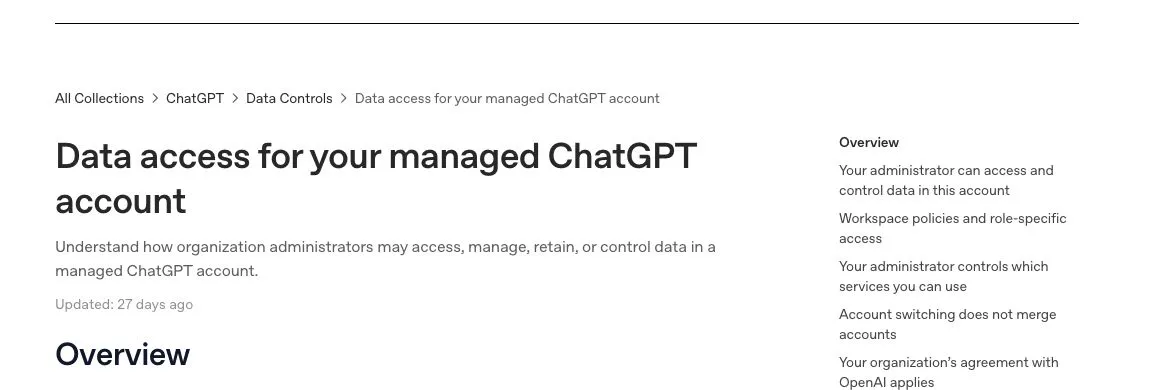
OpenAI says accounts remain separate when you switch between personal and managed accounts. Activity created in a managed account is governed by the organization's agreement, controls, retention rules, and internal policies. An administrator may control available services, apps, sharing, data controls, and other workspace settings.
If you are unsure which account is active, check the account or workspace name before starting a conversation.
2. Who owns or manages the device?
A company laptop or phone may have device-management, security, browser, screen-capture, or data-loss-prevention software. What those tools collect varies. H5W cannot tell you what your employer has installed or whether anyone reviewed a particular session.
The safe assumption is simple: do not use a work-owned device for personal health, financial, relationship, legal, job-search, or other sensitive AI conversations.
3. Is the browser or profile managed?
A browser can be managed even when the ChatGPT account is personal. Company policies, extensions, certificates, or sign-in rules may affect what is recorded or blocked.
Look for wording such as “managed by your organization” in the browser's settings. Do not remove management software or security controls yourself. If you need to know what is collected, ask IT for the acceptable-use, monitoring, and AI policies.
4. Are you on a work network or VPN?
Network logs can commonly show that a device connected to a service and when. Whether a workplace can inspect page contents depends on its setup, certificates, software, and policy.
A personal hotspot changes the network. It does not remove monitoring software or management controls from a company device.
5. Did the result end up in a work file?
Even if no one reads the ChatGPT conversation, the output may remain visible through email, document version history, shared drives, browser downloads, clipboard-monitoring tools, or collaboration records.
If you paste AI-written text into a shared document, treat that document as a workplace record. Check every fact and follow any disclosure or review rules your employer requires.
What to do if you already used it
First, identify the risk instead of panicking.
- Ordinary wording help: check the final work for accuracy and follow the company AI policy.
- Confidential work information: stop sharing more, preserve the relevant details, and contact the appropriate manager, privacy, security, or legal team according to policy.
- A password, access token, or one-time code: rotate or revoke it immediately through the real service.
- Personal information: stop using the work device for that topic and secure the relevant account if needed.
- A managed ChatGPT account used for personal matters: move future personal use to your own account and device; ask the administrator what policy applies if the content creates a real risk.
Deleting a ChatGPT chat may remove it from your account view, but it cannot erase copies already recorded by a device, browser, document, network, backup, or workplace system.
Safer rules for using AI at work
Before pasting anything, ask:
- Is this tool approved for this task?
- Am I in the correct personal or managed account?
- Does the text contain customer, employee, financial, legal, health, source-code, or unreleased business information?
- Would I be comfortable putting the same material in another approved workplace system?
- Will a human check the final result before it is sent or published?
If the answer is unclear, use a fictional example or a blank template until you know the policy.
Read What Information Should You Never Share With AI? before using real work material. If a work task involves a file, check Is It Safe to Upload Documents to AI? before sharing it—even when the account is personal.
The practical answer
Do not ask only, “Can my boss read this chat?” Ask who controls the account, device, browser, network, and destination file.
On your own device and personal account, your employer does not automatically receive your ChatGPT history. On company-controlled systems, visibility and retention vary, so treat activity as potentially reviewable and follow the workplace policy.
Sources and verification
Information last verified: October 20, 2026. Workplace monitoring and employment rules vary by organization and location; this guide is not legal advice.
- OpenAI: Data access for your managed ChatGPT account
- OpenAI: ChatGPT Enterprise and Edu release notes
- Mozilla: Can my boss read my ChatGPT queries?
- ICO: Monitoring workers guidance
Keep going
Choose your next step
Return to Safety & Privacy for the full collection, or continue with a closely related guide.