How to Tell If an Image Is AI-Generated
A surprising image arrives in a group chat or appears in your feed. The hands look normal. The text is readable. Nothing immediately gives it away.
You usually cannot prove an image is AI-generated just by looking at it. Check who first published it, find earlier versions with reverse-image search, look for Content Credentials or other provenance information, and confirm the event with an independent source. Treat an AI detector score as a clue, not a verdict.
If the image is being used to ask for money, damage someone's reputation, prove an emergency, or influence an important decision, do not act on it until the underlying claim is verified.
The five-minute check
1. Identify the claim
Do not start with fingers, shadows, or pixels. Start with what the image is asking you to believe.
- Did this event really happen?
- Is this the person named in the post?
- Was the image taken in this place and on this date?
- Is the seller showing the real product?
- Is someone using the image to request money or personal information?
An authentic photograph can still be paired with a false caption. A real flood photo from five years ago can be reposted as today's disaster.
2. Find the original source
Look for the earliest credible account that published the image—not the account that reposted it with the loudest caption.
Open the profile, website, or article. Check whether the source names a photographer, gives a location, links to supporting information, or has corrected previous posts. If the image claims to show a company, public agency, school, or named person, check that organization's official site or account directly.
A screenshot of a post is not the original source.
3. Run a reverse-image check
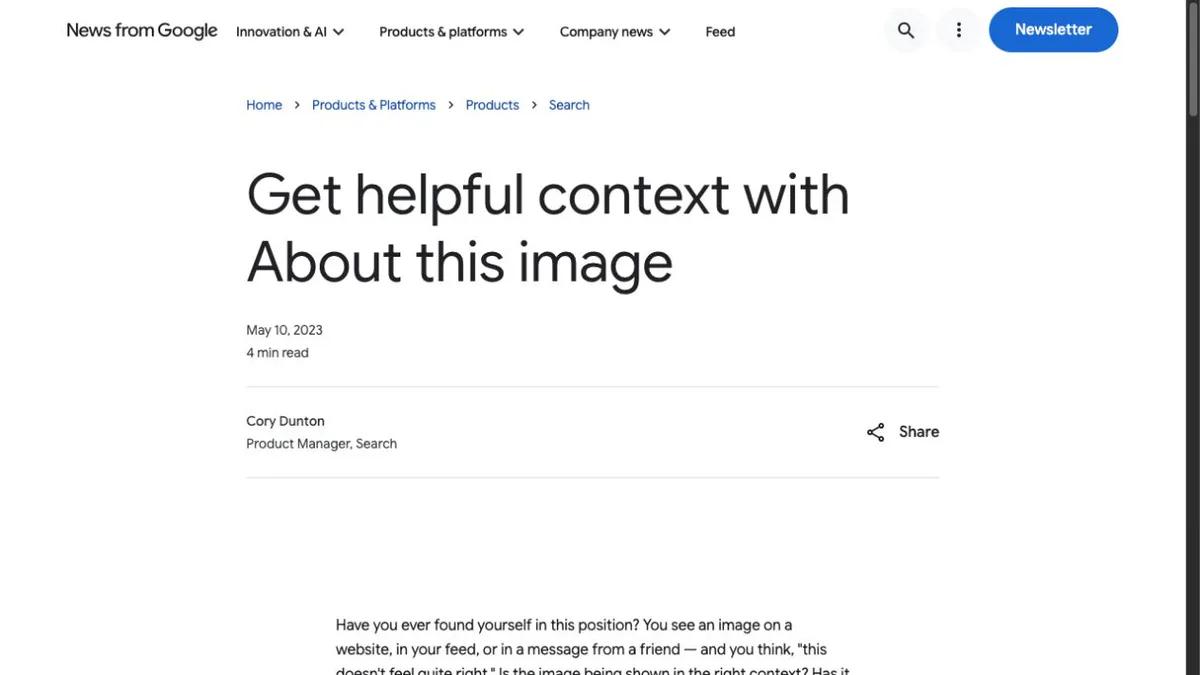
Use Google Lens or About this image when available.
Google says About this image may show:
- when it first saw the image or a similar version;
- other pages using the image;
- earlier uses that may reveal the original context;
- available information about whether the image was captured, edited, or generated with AI.
An older version can expose a false date or location even when it cannot prove how the pixels were made.
If the image contains a distinctive building, sign, product, or background, search that detail separately. Cropping to the relevant area can produce better matches.
H5W opened Google's current About this image guidance on October 13, 2026 and confirmed that Google presents the tool as a way to get source and context—not as a one-click AI detector. We did not upload a private photo to a third-party detector.
4. Check provenance information
Some images include Content Credentials, a signed record that can describe where the media came from, which tools touched it, and whether generative AI was used.
When a Content Credentials pin or verification record is present, review the creator, editing history, and tool information. This is stronger evidence than guessing from appearance.
But absence is not proof. Credentials can be missing because the camera or editing tool never added them, the platform removed them, or the file was copied in a way that broke the connection. Google also warns that ordinary metadata can be changed.
5. Confirm the story somewhere else
For a claimed news event, find reporting from more than one credible source. For a private claim, contact the person or organization through a channel you already trust.
If the image supposedly shows a bank warning, job offer, emergency, delivery problem, or government notice, go to the official website yourself. Do not follow contact details embedded in the image.
Visual clues are only clues
AI images can still contain:
- inconsistent reflections or shadows;
- lettering that changes shape;
- repeated background objects;
- jewelry, glasses, or clothing that blend into skin;
- impossible perspective or anatomy;
- unusually smooth texture.
These details can justify a closer check. They cannot prove the image is fake. Compression, motion blur, portrait mode, editing, poor lighting, and ordinary photography mistakes can create similar artifacts.
The reverse is also true: a clean image with perfect hands can still be generated.
Should you use an AI image detector?
You can use one detector as an extra signal, but do not let a percentage decide the story.
NIST notes that detection performance varies by tool and image type, and detectors must keep adapting as generation methods change. Cropping, resizing, screenshots, compression, and an unfamiliar image generator can reduce reliability.
Before uploading an image to a detector, check its privacy policy. Do not send a private family photo, intimate image, identity document, medical image, or confidential work screenshot to a random checker.
For an important decision, the stronger order is:
- original source;
- earlier uses and reverse search;
- provenance information;
- independent confirmation;
- detector result as supporting context only.
A payment screenshot is a special case: do not try to prove the pixels are authentic. Use H5W’s fake payment screenshot checklist to verify the transaction inside your own account before handing over an item or sending a refund.
What to do when you still cannot tell
You do not have to label the image “real” or “AI” immediately.
- Do not reshare it with a confident caption.
- Do not send money or information because of it.
- Save the original link and note where you found it.
- Ask the named person or organization through an official channel.
- Say “I could not verify this image” instead of guessing.
If an image is being used to impersonate, threaten, harass, or blackmail someone, preserve the message, account name, link, and time. Report it to the platform and the appropriate local authority. Avoid circulating the image further.
For the same source-first method with text answers, use How to Check Whether an AI Answer Is Correct.
To see how easily an ordinary photo can be changed without becoming a fully generated image, continue with How to Edit a Photo With AI.
Verify the claim, not the pixels
Do not make the picture prove itself.
Find where it came from, look for earlier uses, inspect available provenance, and verify the claimed event independently. Visual mistakes and detector scores can help you decide what to check next, but neither provides a reliable final answer on its own.
If the suspicious post is moving rather than still, use H5W’s video verification checklist and check the source, key frames, labels, and provenance together.
Sources and verification
Information last verified: October 13, 2026. Search interfaces, provenance labels, and detector performance can change and must be rechecked before publication.
- Google: Learn more about an image
- Google: Search with an image on Google
- Content Credentials: About Content Credentials
- NIST: Synthetic Image Detection Techniques
- NIST: 2025 GenAI Pilot Evaluation Plan for Image Discriminators
- OpenAI: What is ChatGPT? FAQ
Free printable resource
AI Answer Verification Checklist
Use the practical version while you work. It is a selectable-text U.S. Letter PDF with no email gate.
Public H5W PDF with selectable text and permanent source links.
Keep going
Choose your next step
Return to Safety & Privacy for the full collection, or continue with a closely related guide.